Wireless Gaming Headset: Hi‑Fi Sound + Noise‑Cancel Mic
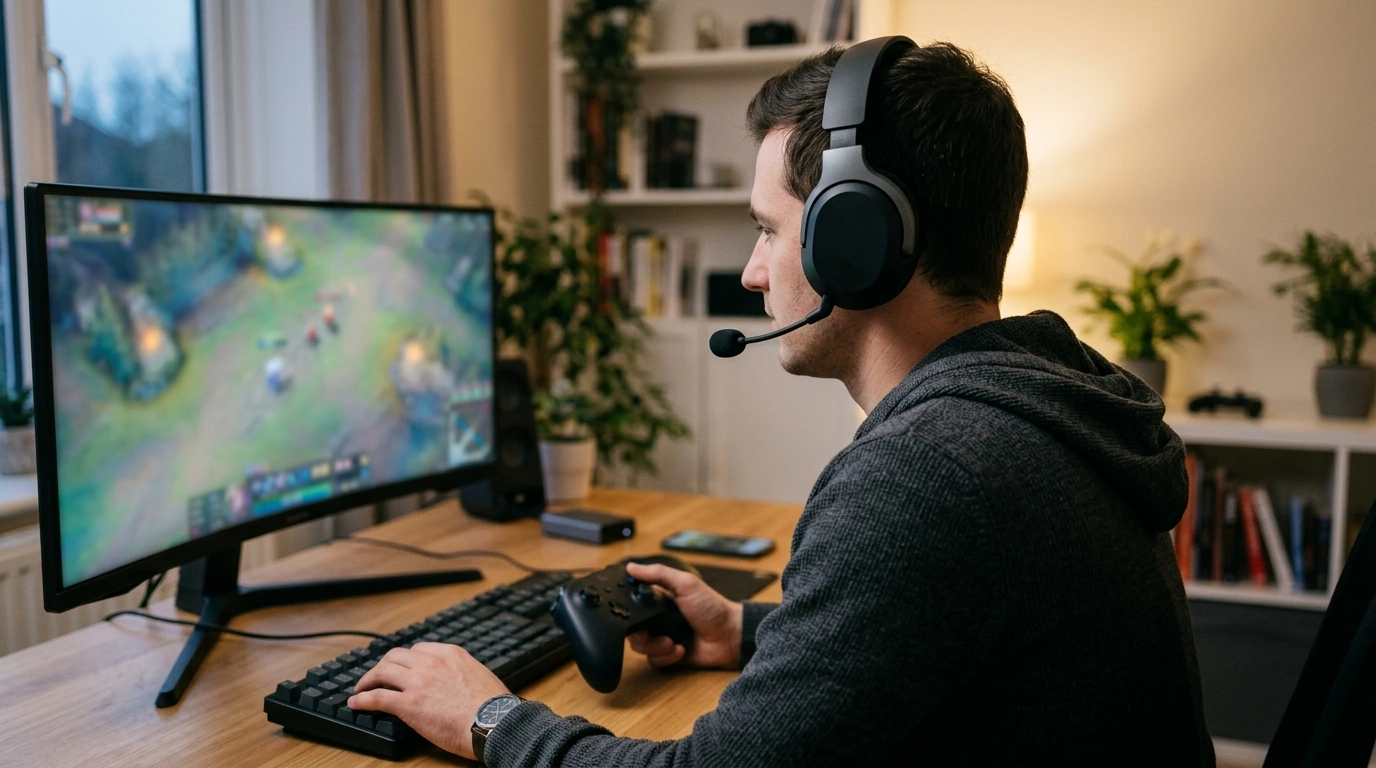
Wireless gaming that sounds clear and communicates cleanly
Game audio works best when every cue is clear and every callout is understood. Our team built this Wireless Gaming Headset with Noise Canceling Microphone and Hi‑Fi Sound around two priorities: detailed, hi‑fi sound that helps you catch the small stuff (footsteps, reload timing, ability cues) and a noise-canceling mic that keeps your voice centered when the room around you is not. Use it for team play, late-night sessions, and everyday listening when a stable wireless setup matters.
What this headset is made for
- Competitive play where small sound cues can change the outcome of a round
- Co-op and party chat where a clean mic signal prevents repeated callouts
- Single-player immersion where fuller, clearer audio helps pull you into the world
- Wireless convenience for desk setups that need fewer cables and quicker take-on/take-off
Hi‑Fi sound that stays detailed in real games
In a busy match, “loud” isn’t the same as “useful.” You want separation—so effects don’t smear into dialogue, and music doesn’t mask movement. A balanced tuning helps keep information readable, especially when multiple sound layers stack at once.
- Balanced audio helps separate effects, dialogue, and music so cues don’t blur together.
- Clear highs with controlled bass can make positional clues easier to recognize in cluttered scenes.
- Consistency matters when you switch between games, voice chat, and media without constantly changing EQ.
- Keep volume comfortable; distortion often comes from pushing output too hard instead of improving the mix.
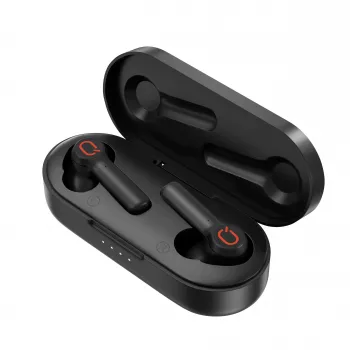
If you want a portable alternative for commuting or quick sessions away from your desk, our team also keeps a lightweight option in stock: Wireless Earbuds TWS Bluetooth 5.3 – Low Latency, HiFi Sound, Waterproof.
Noise canceling microphone for clearer team chat
Clear comms reduce misplays. When teammates can understand you the first time, you get quicker reactions and less fatigue over longer sessions. Noise reduction helps focus pickup on your voice and push common distractions—like fans or room chatter—into the background.
- Noise reduction prioritizes your voice and reduces steady background noise.
- Cleaner callouts mean fewer repeats and smoother team coordination.
- Mic placement matters: aim toward the corner of your mouth rather than directly in front to reduce breath noise.
- Fine-tune with platform settings (input gain and noise suppression) to match your room and speaking volume.
If you use Discord often, their troubleshooting steps can help you quickly isolate whether an issue is device selection, gain, or software processing: Discord Support: Voice and Video Troubleshooting.
Wireless play without the desk clutter
Wireless is as much about comfort as it is convenience. Fewer cables means fewer snags on armrests and keyboards, and it’s easier to keep a relaxed posture during long sessions.
- Keep the receiver/device close with a clear line of sight when possible; avoid blocking it behind metal cases.
- Reduce congestion: if interference appears, move other wireless dongles to a different USB port.
- Lock in chat stability by setting the headset as the default input/output device in system sound settings (where applicable).
For general background on wireless standards, the official Bluetooth specification is maintained by the Bluetooth SIG: Bluetooth Core Specification.
Comfort and practical controls that support longer sessions
A headset can sound great and still be distracting if the fit is off. Comfort affects focus, and fit also affects perceived bass and isolation—because a good seal changes what you hear.
- Stable without over-clamping helps you stay comfortable and keeps the seal consistent.
- On-ear volume/mute access keeps you in the match instead of diving into menus mid-round.
- Breathable padding and balanced weight can reduce pressure points over extended play.
- Quick pre-session check (seal, mic position, volume) prevents most mid-match distractions.
For safer long sessions, it helps to keep volume at a comfortable level—especially with isolating headphones. The World Health Organization shares practical safe-listening guidance here: World Health Organization: Safe listening.
Quick setup checklist (PC and console workflows)
Feature guide: what to prioritize for your play style
| Priority | Why it matters | How to set it up well |
|---|---|---|
| Hi‑fi sound clarity | Helps separate footsteps, dialogue, and effects so you react faster | Keep the game mix balanced; avoid max volume; try a neutral preset first |
| Noise canceling microphone | Makes callouts easier to understand and reduces repeats | Place mic near mouth corner; set proper input gain; test in party chat |
| Wireless stability | Prevents dropouts and keeps timing consistent during matches | Keep receiver nearby; avoid USB congestion; reduce nearby interference |
| Comfort for long sessions | Reduces fatigue and helps maintain focus | Adjust fit for a gentle seal; take short breaks; keep pads clean |
Care tips to keep audio and mic performance consistent
When earbuds make more sense (and when a headset wins)
FAQ
Does a noise canceling microphone block all background noise?
No—noise canceling reduces common steady sounds and helps emphasize your voice, but very loud or nearby noises can still come through. Positioning the mic correctly and setting input gain appropriately will usually make a bigger difference than turning every suppression feature to maximum.
How can wireless audio feel more responsive in fast games?
Keep the receiver/device close and avoid blocking it, then reduce interference by spacing out other wireless dongles and devices. Also confirm your system is using the intended headset output mode and avoid running multiple wireless audio outputs at the same time when you can.
What’s the fastest way to fix teammates saying the mic sounds quiet or muffled?
Reposition the mic closer to the corner of your mouth, raise input gain slightly, and confirm the headset is selected as the correct input device. If clarity worsens, disable “double” noise suppression (running both app and system suppression) and do a quick test in a voice app before launching the match.














Leave a comment