Mini LED Portable Smart Projector for Travel & Home
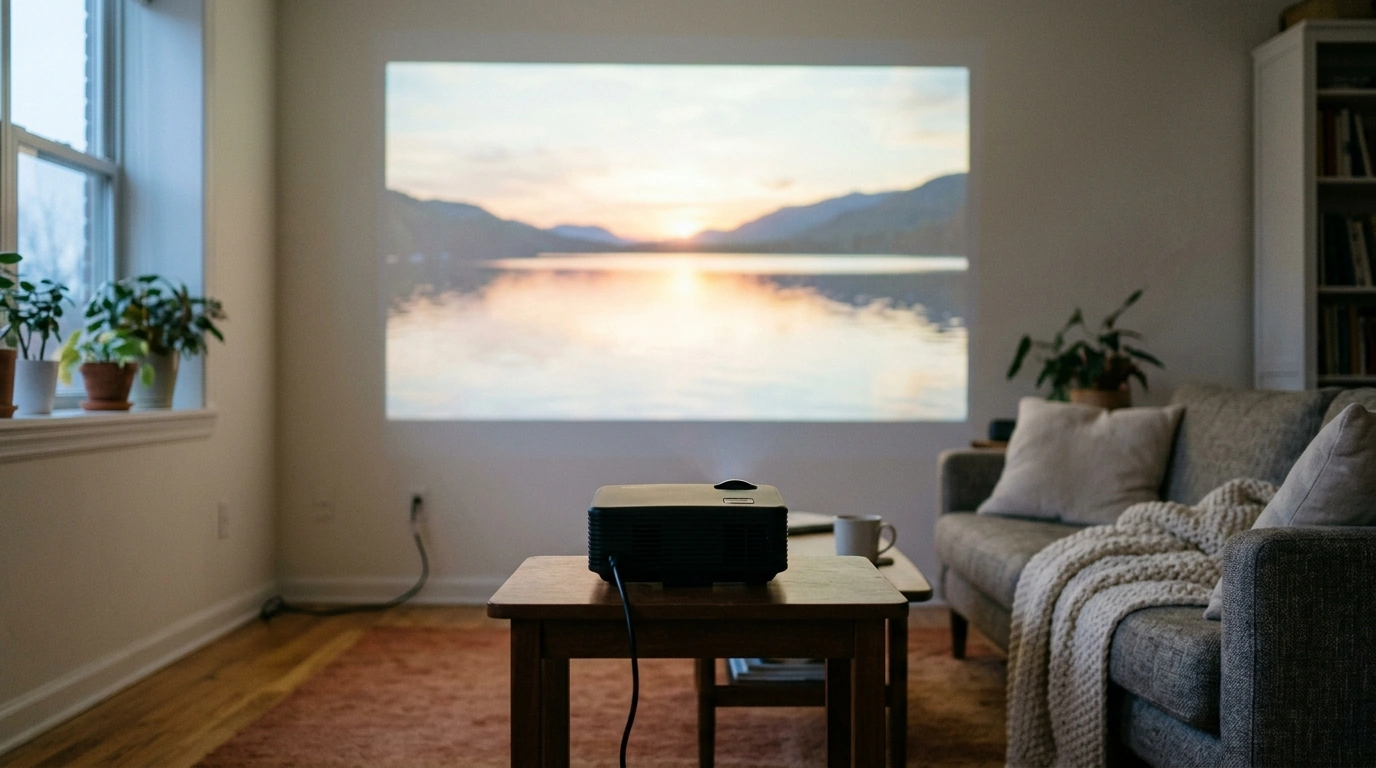
Mini LED Portable Smart Projector: Big-Screen Streaming That Travels
A portable smart projector makes it easy to turn a blank wall into a movie screen—at home, in a dorm, on a patio, or while traveling. Our Mini LED Portable Smart Projector is built for flexible, low-fuss viewing: compact enough to move room to room, bright and efficient LED projection, and smart-style convenience so entertainment is always within reach.
What makes a portable smart projector worth owning
If you want a bigger picture without building your room around a television, a mini projector can be a genuinely practical upgrade. Our team typically recommends this style of setup when you want the “big screen” feeling, but you also want to keep your space adaptable.
- Big-screen impact without a permanent TV setup: Great for rentals, dorms, and multipurpose rooms where wall-mounting isn’t ideal.
- Quick “set it anywhere” viewing: Movie nights, sports, kids’ content, and casual gaming work well when you can set up in minutes and pack away just as fast.
- LED projection for everyday efficiency: LED-based projection is designed for long-term use and consistent output compared with traditional lamp-style projectors.
- Convenience-first playback: The goal is fewer boxes and fewer cables between you and your show—especially helpful if you move the projector often.
- Easy audio upgrades: Portable projectors pair well with compact speakers or earbuds when a built-in speaker isn’t enough for your room.
Meet the Mini LED Portable Smart Projector
Our Mini LED Portable Smart Projector fits the kind of real-life viewing most people actually do: bedroom shows, living-room sports, dorm hangouts, and occasional outdoor nights. The mini format makes it easy to store on a shelf and easy to relocate when you want a different screen size or a different room.
- Compact and travel-friendly: Simple to move between rooms or pack for trips.
- LED-based projection: Designed for consistent everyday viewing and efficient operation.
- Built for flexible setups: A practical choice when a permanent mount or dedicated theater room isn’t the plan.
- Room conditions matter: Distance, wall color, and ambient light will noticeably change how the image looks.
Quick setup checklist (start here for a cleaner picture)
| Step | What to do | Why it helps |
|---|---|---|
| 1. Choose the surface | Use a smooth, light-colored wall or a projector screen | Improves contrast and sharpness |
| 2. Control ambient light | Dim lights or close curtains when possible | Boosts perceived brightness and color |
| 3. Place the projector steady | Set on a stable table/shelf; avoid soft bedding | Reduces blur and keeps alignment consistent |
| 4. Dial in distance | Move the unit forward/back to reach the screen size you want | Prevents the image from being too small or overly washed out |
| 5. Tidy cables and power | Route cables safely; keep vents unobstructed | Helps reliability and keeps the area trip-safe |
Everyday ways to use it (home, travel, and everything between)
A portable projector earns its keep when you use it casually—without turning setup into a project. Here are a few easy wins you can replicate right away.
- Bedroom cinema: Put on a comfort show or a movie, then tuck the projector away when you’re done—no permanent TV footprint required.
- Backyard or balcony nights: Pair with a portable speaker and a simple screen or white sheet for an easy outdoor vibe (weather permitting).
- Dorm and apartment living: Enjoy a big image without a big TV dominating your room layout.
- Family content: Cartoons, educational videos, and photo slideshows for gatherings feel more social on a wall than on a phone.
- Casual gaming: For relaxed sessions, aim for a darker room and a moderate screen size so the image stays punchy.
Getting the best picture and sound in real rooms
The best projector setup is less about chasing maximum size and more about matching the projector to your room. Small adjustments—lighting, placement, and audio—tend to make the biggest difference.
If you’re feeding video from a laptop, streaming stick, or console, using a reliable HDMI connection helps keep things straightforward. For background on HDMI standards and compatibility, you can reference the HDMI Licensing Administrator. For wireless audio basics and device compatibility, the Bluetooth SIG is a solid, authoritative overview.
Simple pairing ideas from Palacen
- Private listening (late-night friendly): Pair with Wireless Earbuds TWS Bluetooth 5.3 – Low Latency, HiFi Sound, Waterproof so you can watch without waking others.
- Travel-ready packing: Keep accessories compact: shorter cables that fit your typical layout, a small stand if you like a fixed height, and a soft pouch so everything stays together.
- Group viewing: If you often watch with friends, plan for an external speaker (wired or wireless) so speech stays clear when people are talking or snacking.
Before checkout: quick fit check
FAQ
Can a portable smart projector replace a TV?
It can cover many everyday viewing needs, especially in smaller spaces or when you want flexibility instead of a permanent setup. The best experience depends on your room lighting, projection surface, and choosing a screen size that stays bright and clear in your space.
What’s the easiest way to improve picture quality right away?
Darken the room as much as you can, project onto a smooth and light-colored surface, and keep the projector level and square to the wall. A moderate screen size usually looks brighter and sharper than pushing for the biggest image in a bright room.
How can sound be improved for movies and sports?
For fuller sound and clearer dialogue, connect to an external speaker, or use earbuds for private listening. Larger rooms and group viewing typically benefit the most from dedicated audio.










Leave a comment